Skip to content
Storebench

Storebench · local App Store Connect workspace

Prepare app releases with the full picture in view.

Bring listing text, screenshots, pricing, reports, and revision history into one local workspace. Save drafts, compare changes, and approve a separate publishing review before Storebench writes to Apple.

Source installation available; the Mac desktop package is a local prototype. See the repository for setup requirements.
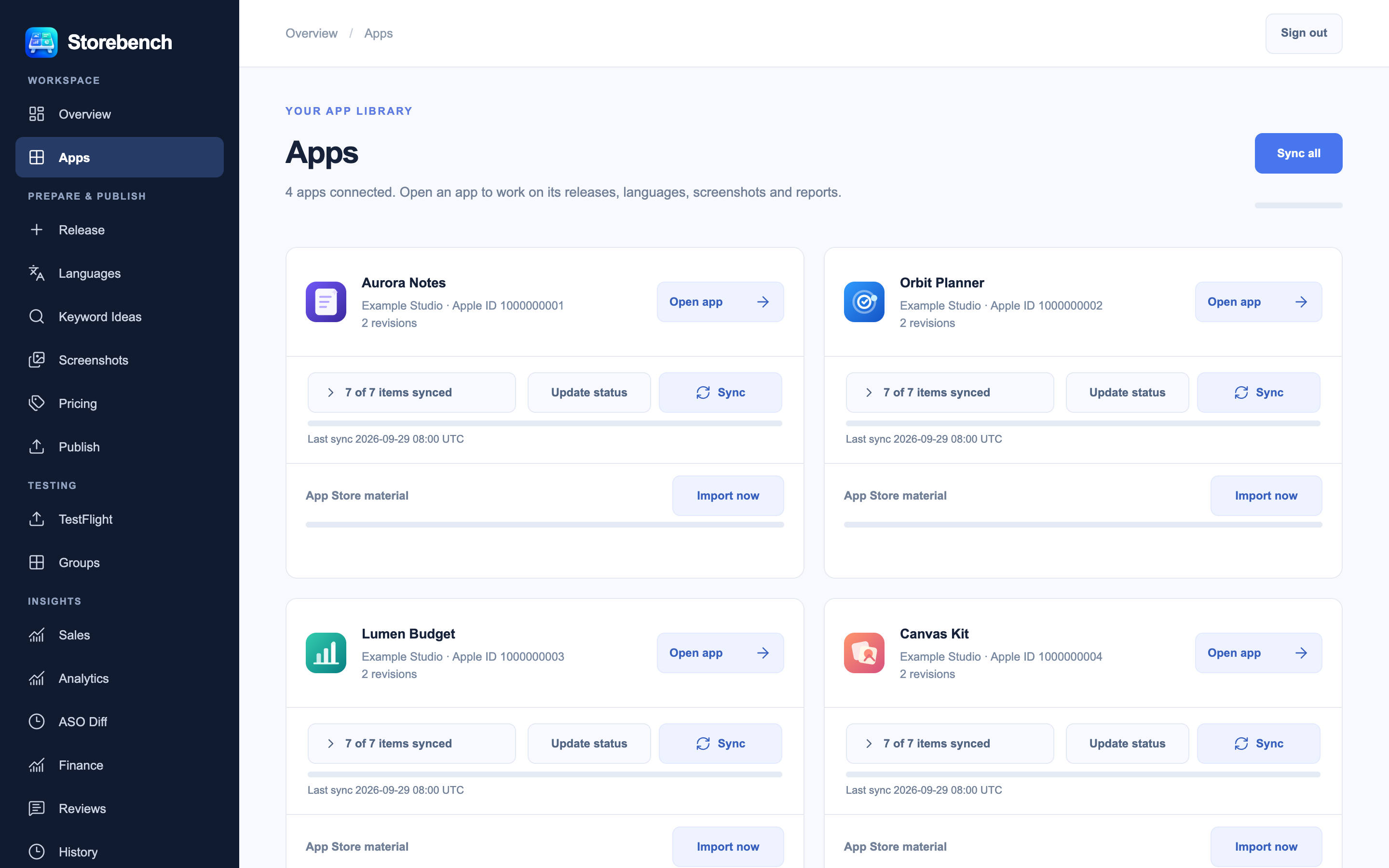
Storebench app library overview with illustrative sample apps
Storebench interface · illustrative sample data. Open full screenshot

Feature slides

One workspace, from first draft to final review.

Explore the interface through six screenshots made with illustrative sample data.
1 / 6

01 · App library

See every app in one place.

The Apps view brings imported app records, status, and local work into a single library. Open an app to continue from saved revisions and drafts.

Storebench app library showing illustrative sample apps and overview cards
Illustrative sample data · Open full screenshot

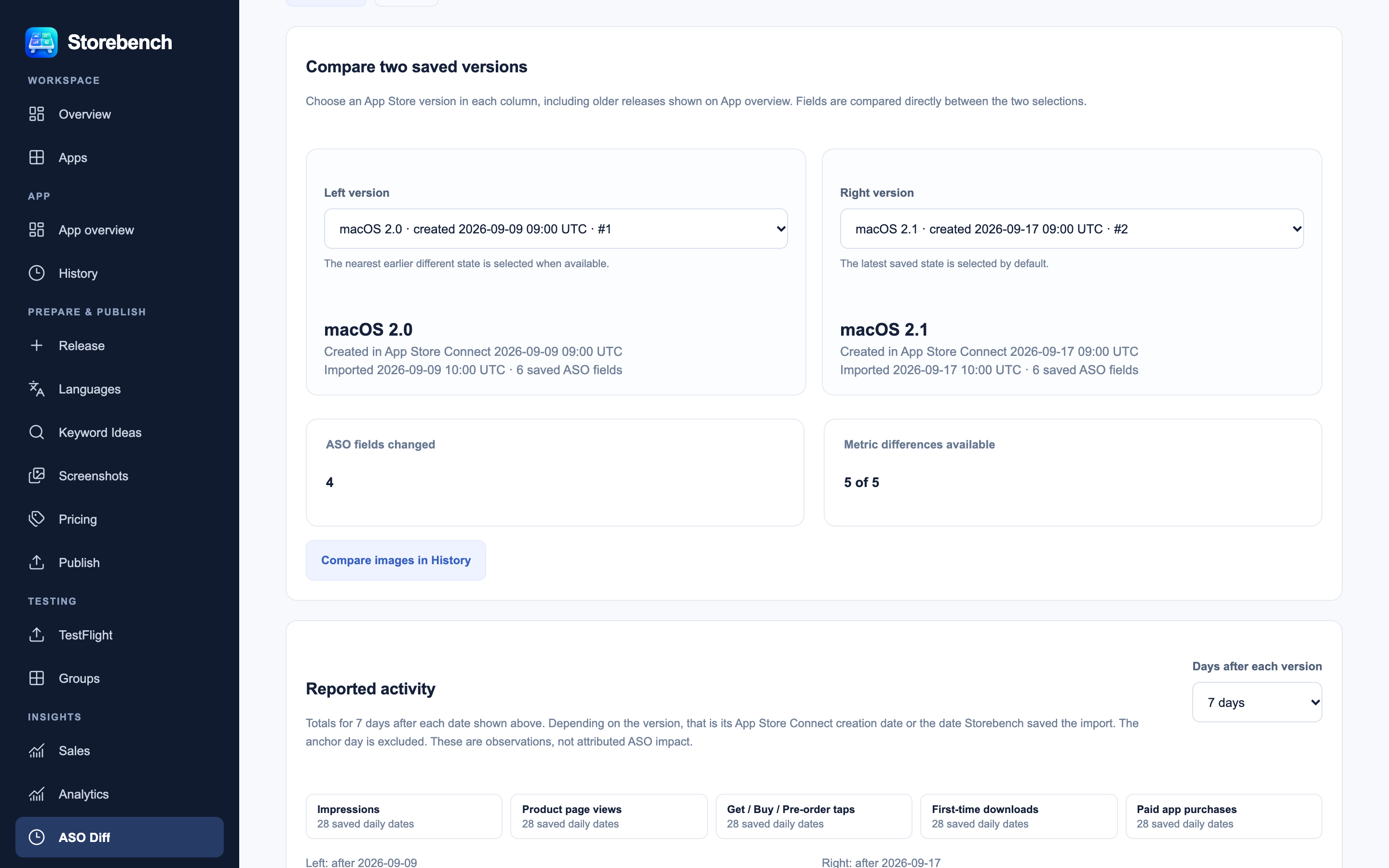
02 · Version comparison

Compare two saved listing versions.

Place two revisions side by side to see how title, subtitle, keywords, and other listing material changed before you reuse or publish a draft.

Storebench ASO version comparison with illustrative sample app data
Illustrative sample data · Open full screenshot

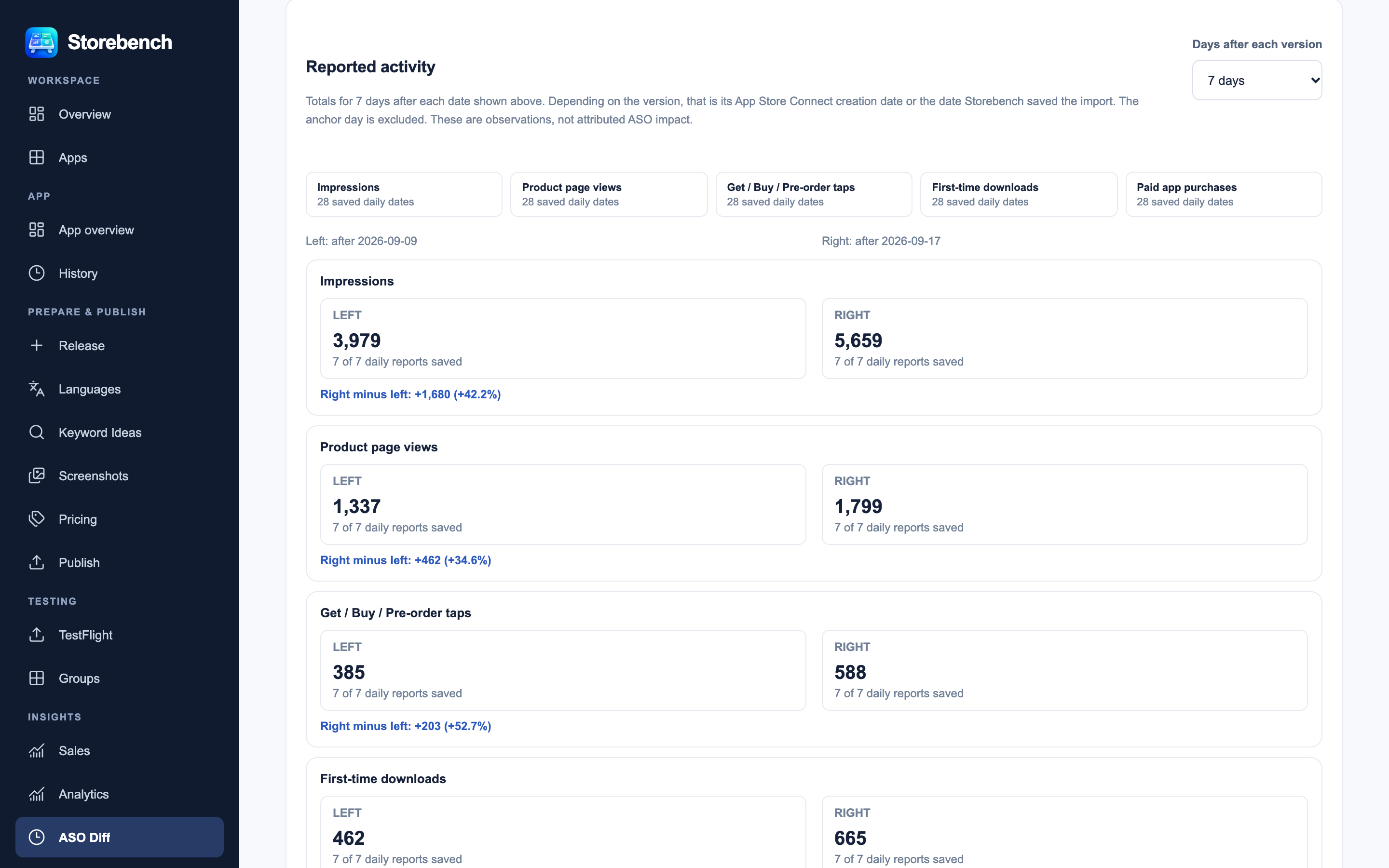
03 · Metrics

Put listing changes next to reported results.

Compare saved ASO versions with reported metrics. The view keeps the selected periods visible so differences have context.

Storebench comparison of reported ASO metrics using illustrative sample data
Illustrative sample data · Open full screenshot

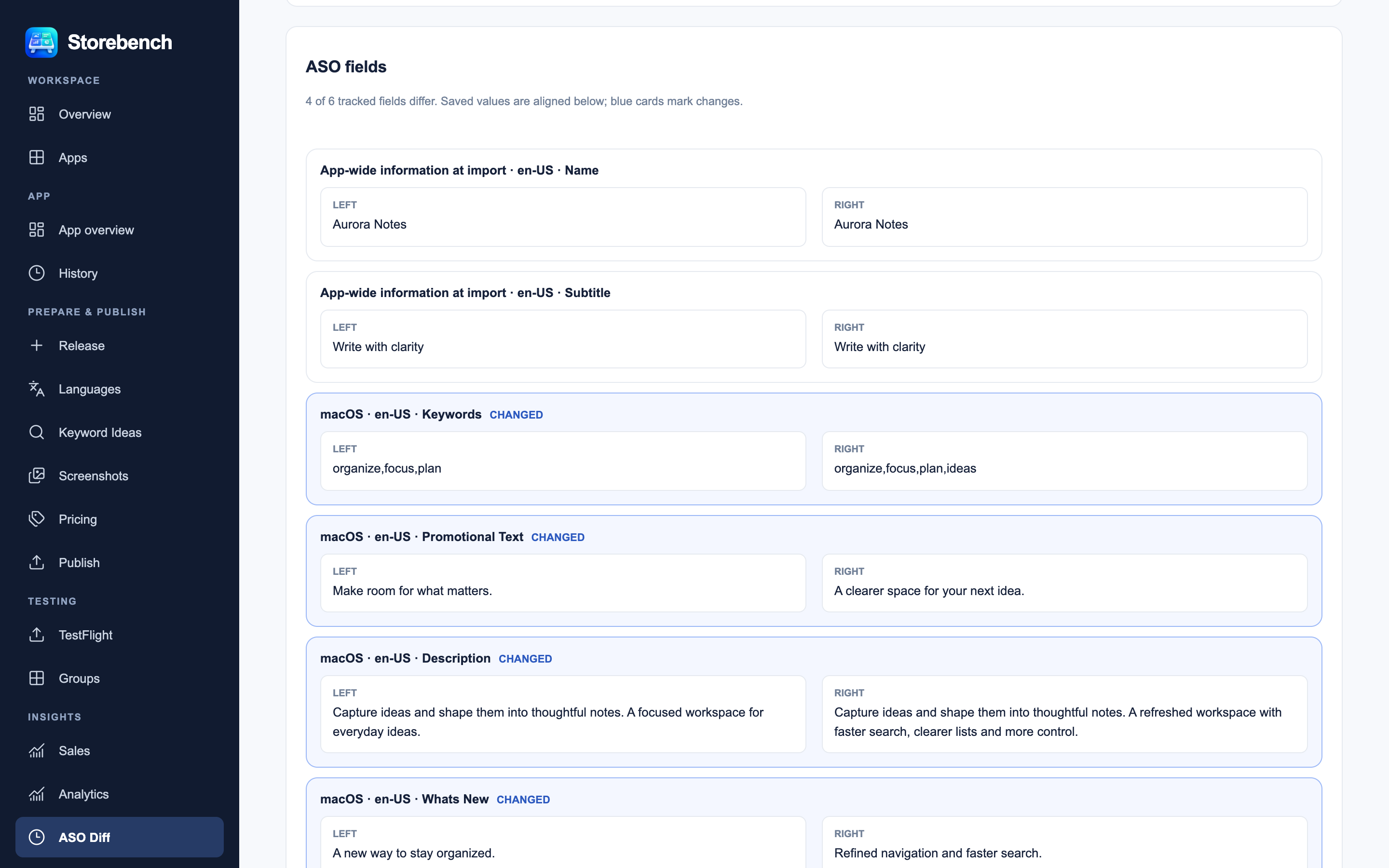
04 · Changed fields

Read exactly which fields changed.

Inspect changed listing fields in a focused view and trace edits back to the revisions that contain them.

Storebench changed ASO fields for illustrative sample app versions
Illustrative sample data · Open full screenshot

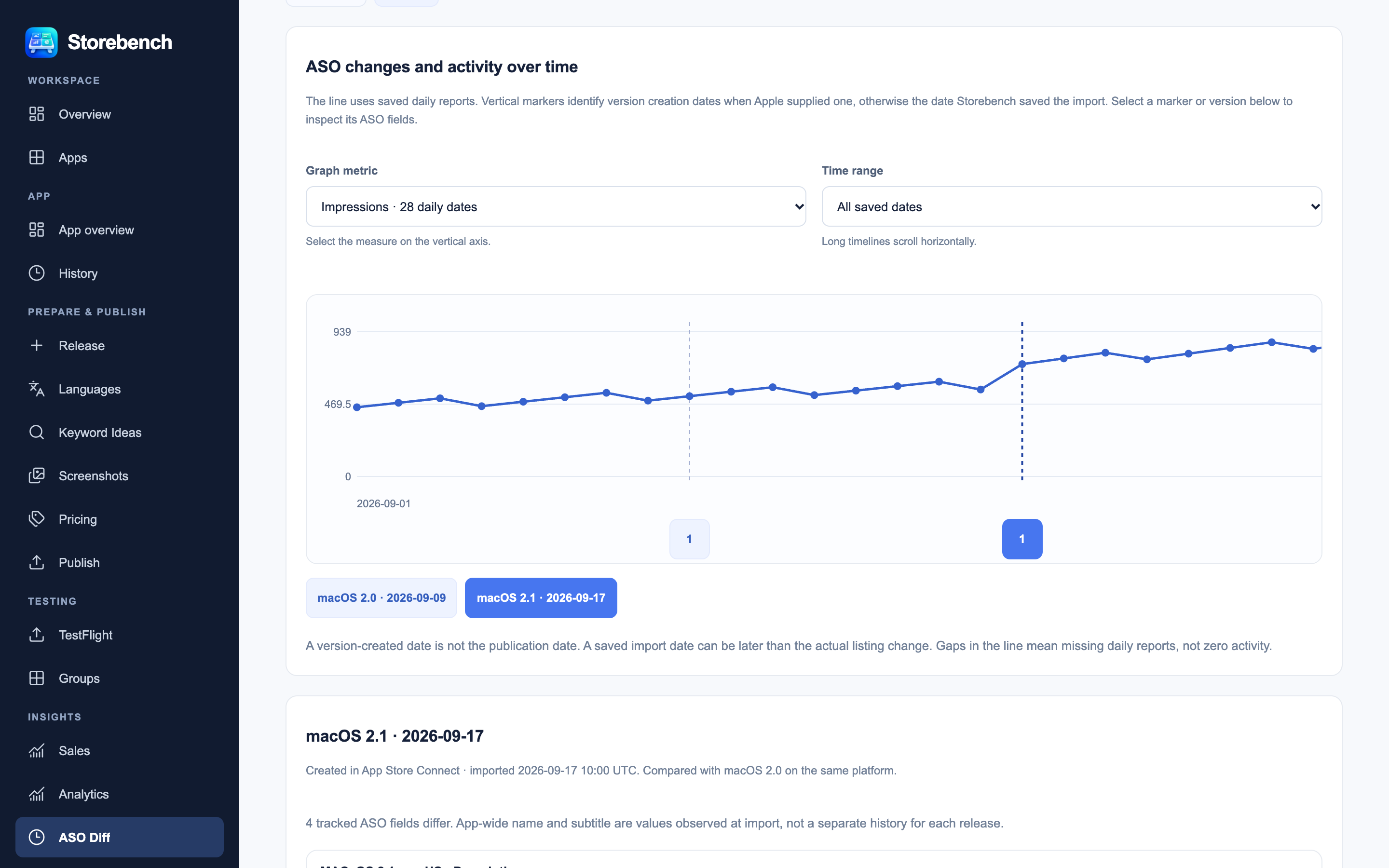
05 · Activity graph

Follow results across a timeline.

Use the graph to examine reported activity over time alongside saved listing work and review the selected range.

Storebench ASO activity timeline with illustrative sample metrics
Illustrative sample data · Open full screenshot

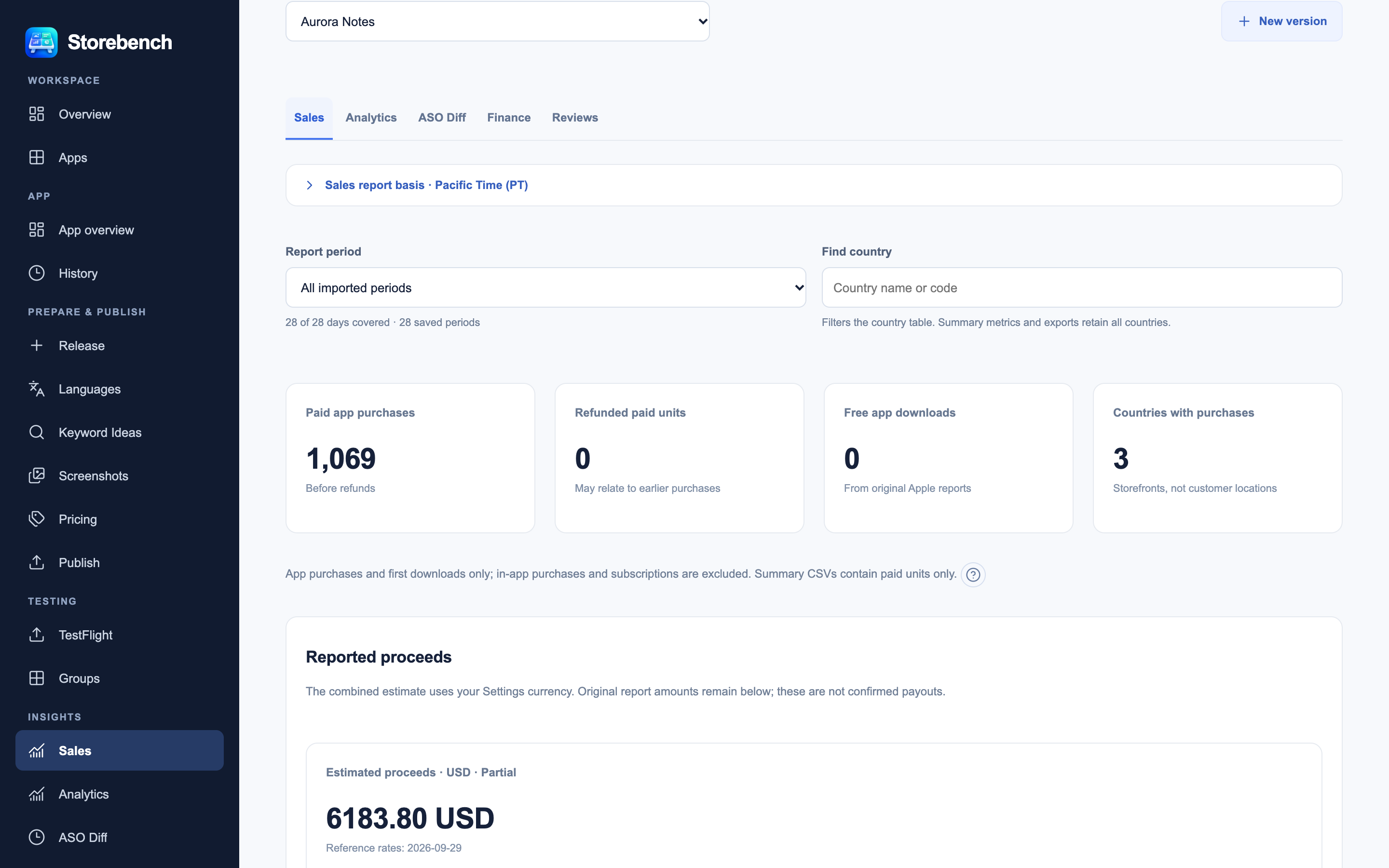
06 · Sales reports

Review sales across saved report periods.

Download sales data on request, then browse stored periods with clear coverage and app context. Missing reports stay distinct from zero sales.

Storebench sales reporting view with illustrative sample app data
Illustrative sample data · Open full screenshot

How it works

Local preparation. Deliberate publication.

  1. Connect and import. Add an App Store Connect key, discover apps, and save the material you want to work from.
  2. Prepare locally. Edit text, media, and price plans; compare saved revisions and report context.
  3. Review and approve. Inspect the prepared Apple change, approve it, and check publishing history afterward.